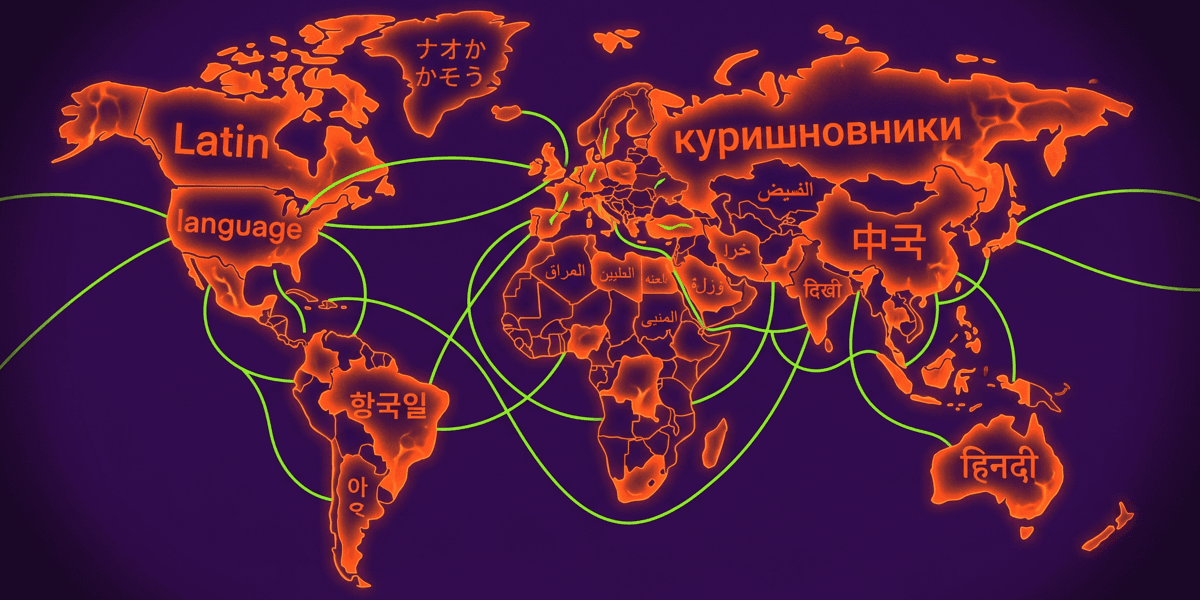
Every article that ranks for “mobile app localization” is written by a translation platform pitching its translation platform. They will sell you on glossaries, pseudolocalization, TMS workflows, and continuous string sync. None of that moves a single download in a market where nobody can find your app in the first place.
Localization is an ASO problem before it is a translation problem. The iOS App Store gives you a fresh 100-character keyword field for every single locale you support. Google Play gives you a localized title and long description per language. Custom Product Pages let you ship country-specific screenshots without touching your default listing. Translate the in-app strings and skip those App Store layers and you will get exactly what one indie dev got: nothing.
“It has 0 effect if you don't do app store text and localized images/videos.”View on Reddit
This guide is the ASO-first localization playbook nobody else writes. We will reframe the problem, show the compound keyword math no competitor mentions, give you the eight locales that actually move the needle in 2026, and walk through how to validate locale ROI with keyword data BEFORE you spend a euro on a translator.
Q:What is mobile app localization, and which parts actually drive downloads?
A: Mobile app localization means adapting your app and its store listing to a target locale - language, region, formatting, and culture. The download and revenue impact comes almost entirely from the store-level pieces: app name, subtitle, keyword field, screenshots, description, and Custom Product Pages. In-app string translation matters for retention and review scores once users are inside, but it does not move installs by itself. For most indies, the highest-ROI play is to localize the App Store listing in 6 to 8 priority locales (EN, ES, PT-BR, DE, FR, IT, JA, KO) before doing full in-app translation.
- 1.Translation moves words. ASO localization moves discoverability and downloads
- 2.iOS gives you a fresh 100-character keyword field per locale (40 locales available)
- 3.Google Play gives you a localized title, short description, and full description per language
- 4.Validate locale demand with keyword data before paying for translation
- 5.Localized screenshots have a bigger conversion impact than localized in-app strings
The 0-effect trap: why translating strings alone does nothing
Open any of the top-ranking mobile app localization guides and you will read the same playbook: extract your strings, send them through Lokalise or Crowdin or Phrase, get them back, ship a build. The job is done. The downloads will roll in. They do not.
The reason is structural. Apple and Google do not show your in-app strings to anyone who has not already downloaded your app. Discovery happens in the store. Conversion happens on the listing page. The user decides to install before they ever see one of those translated strings. If your store listing is still in English, a user searching in Spanish or Japanese either never sees your app at all or sees it and scrolls past because nothing on the page is in their language.
“After I translated my app into Spanish, I saw downloads from certain regions jump significantly. The key, though, is not just translating the app itself, but also localizing the App Store listing and screenshots so people can instantly see what they're getting.”View on Reddit
⚠️ Translating strings without localizing the store listing is a dead end
If you only have budget for one of the two layers, do the App Store layer first. The store listing is what brings users in. The in-app strings improve their experience after they arrive, which matters for retention and ratings but never for the first install.
Translation vs localization vs ASO localization
Three things get muddled together when people say “localize your app”. Pulling them apart is the first step to spending budget right.
| Layer | What it covers | Where it shows up | ASO impact |
|---|---|---|---|
| Translation | Strings, button labels, paragraphs | Inside the app, after install | Indirect (retention, ratings) |
| Localization | Strings + dates, currency, units, images, cultural fit | Inside the app + onboarding | Indirect (engagement, LTV) |
| ASO localization | App name, subtitle, keyword field, description, screenshots, promo text | On the App Store / Play Store listing | Direct (impressions, downloads) |
ASO localization is what users see before installing. The other two only matter after.
Most translation-platform articles cover layer 1 and call it a guide to mobile app localization. The actual revenue lever is layer 3, and it lives in App Store Connect and Google Play Console, not in any translation tool.
The compound keyword math: 100 characters x N locales
Here is the trick almost no indie dev exploits. The iOS keyword field is per-locale. Every locale you add gives you a fresh 100-character keyword bank. Apple supports 40 locales on the App Store. If you ship a listing in 8 of them, you are working with 800 characters of indexed keywords instead of 100. That is 8x the keyword surface area, and nothing about it requires translating a single in-app string.
Google Play does not give you a separate keyword field. The system indexes the title, short description, and long description for every locale. So the math is different but the principle is the same: each added language unlocks a new indexed surface where Play can match users to your listing. The title (30 chars) and short description (80 chars) carry the most weight, and both are localized.
| Field | iOS App Store | Google Play | Per-locale? |
|---|---|---|---|
| App name | 30 chars | 30 chars (title) | Yes (both) |
| Subtitle / short description | 30 chars (subtitle) | 80 chars | Yes (both) |
| Keyword field (indexed, hidden) | 100 chars | Not available | iOS only |
| Description | 4,000 chars (not indexed) | 4,000 chars (indexed) | Yes (both) |
| Promotional text / What's New | 170 chars promo + 4,000 release | 500 chars What's New | Yes (both) |
| Screenshots | Up to 10 per device | Up to 8 | Yes (both) |
iOS hides keywords in a dedicated field. Google Play folds keywords into description and short description.
The compound keyword math is the underrated indie lever. Even if you never translate the in-app, just shipping a localized App Store listing with a country-tuned keyword field is one of the cheapest ASO wins available.
The 8 locales that actually move the needle in 2026
“Just localize everything” is bad advice. Translating in 30 languages costs serious money and most of those locales will not pay the cost back. The real question is which 6 to 8 locales to start with. Here is the prioritization that holds up across every indie I have seen ship globally, weighted by App Store revenue, search demand, and translation cost.
| Locale | Why it matters | Revenue tier | Competition | Translation cost |
|---|---|---|---|---|
| English (US) | Default, largest pure-English market | Tier 1 | Saturated | Free (your source) |
| Spanish (ES + LATAM) | 600M speakers, low ASO competition in many niches | Tier 2 | Medium | Low |
| Portuguese (BR) | Brazil = top-5 mobile downloads market globally | Tier 2 | Low | Low |
| German | High ARPU, willing to pay for quality apps | Tier 1 | Medium | Medium |
| French | Strong revenue + Francophone Africa upside | Tier 1 | Medium | Medium |
| Italian | Cheap to localize, decent volume, low competition | Tier 2 | Low | Low |
| Japanese | Top-grossing iOS market, low English fluency | Tier 1 | High (in JP) but rewards localization | High |
| Korean | Top-grossing per-capita, very low listing competition | Tier 1 | Low to medium | Medium-High |
The starter pack: ship the listing in 8 locales, then expand based on real install data.
“Whenever possible, I launch my new apps in at least six languages: English, Portuguese, Spanish, German, French, and Italian. These languages have been working very well for me, bringing organic traffic from all over the world and increasing my downloads month after month.”View on Reddit
The cheapest, highest-ROI 3 to add first
If your budget is tight, ship Spanish (ES + 419), Portuguese (BR), and German first. Spanish unlocks LATAM + Spain, Portuguese unlocks Brazil (a top-5 downloads market), and German is the highest-revenue non-English locale per user. All three are low-medium translation cost and the ASO competition is far softer than English.
Validate locale ROI with keyword data BEFORE you translate
The locale list above is a starting point, not a verdict. Your category, your audience, your existing geographic install footprint all change which locales pay back. The right way to pick is to look at the data first, not to translate first and pray.
List your seed keywords
Take 10 to 15 keywords you already rank for in English (or want to rank for). These are your category, your features, and the user intents you serve.
Run multi-country keyword research
Pull search volume, popularity, and competition for each seed keyword in each candidate locale. You are looking for locales where demand exists AND competition is beatable.
Score each locale
A simple framework: total search volume across your seeds + average popularity score - average competition. Rank locales by score and cut anything in the bottom half.
Sanity-check with current install data
Open App Store Connect or Play Console and look at where unrequested traffic is already landing. If users in Brazil already find you despite an English-only listing, that is the highest-priority locale.
Pick your top 3 to 5 locales and translate the listing first
Localize the App Store / Play Store listing for the top scoring locales. Watch downloads for 30 days. Expand to more locales only after the first batch validates.
The data-first validation workflow. Costs nothing to run, saves $1000s in wasted translation spend.
“Do not use advices that anyone gave to you. Just lean on data. Use keyword research tools for identifying demand on different languages. Give the raw data to your ai agent. It will come up prioritized localization lists for your niche. It saves tons of hours.”View on Reddit
Multi-country keyword research with ASO Maniac
ASO Maniac runs keyword research across countries with per-locale popularity scoring (1-100), search volume, and competition data. It also surfaces which competitors are taking traffic in each market. Use it to score candidate locales before you spend on translation, and to pick the right keywords for the per-locale 100-character iOS field. Try it at asomaniac.com.
The 6 things to actually localize for ASO
Once you have picked your priority locales, here is exactly what to localize at the App Store / Play Store layer. This is the part most translation-platform guides skip entirely.
App name (and short title on Google Play)
Both stores allow a 30-character localized name. This is the highest-weighted indexed field. Lead with your primary keyword for that locale, not a literal translation of your English name.
Subtitle (iOS) / Short description (Google Play)
iOS subtitle is 30 chars and indexed. Play short description is 80 chars and heavily indexed. Pack the strongest secondary keyword for that locale here. Do not just translate your English subtitle word-for-word.
iOS keyword field (100 chars per locale)
This is the field nobody uses well. It is invisible to users but heavily indexed. Comma-separated keywords, no plurals (Apple stems), no spaces between commas, no duplicating words from name or subtitle. Treat it as a fresh 100-character bank per locale.
Description
On iOS the description is NOT indexed for search but it drives conversion on the listing page. On Google Play it IS indexed. Either way, write naturally for the locale, do not just translate. Lead with the value, not the features.
Screenshots and captions
The single highest-converting visual element on the listing. Localize captions, currency in pricing screens, culturally relevant imagery. Do NOT just slap a translated caption on the same English screenshot.
Promo text (iOS) and What's New
Promo text is 170 chars, can be updated without a new build, and shows above the description on iOS. What's New is your release-note real estate. Localize both. They are cheap wins that get refreshed often.
The 6 ASO localization elements. Hit all of them in your priority locales before you touch in-app strings.
🚫 Do not put localized keywords in your iOS description
The iOS app description is not used for search ranking. Stuffing keywords there does nothing for discoverability and looks spammy to humans. Keywords go in the dedicated keyword field. Description is for conversion, not search.
Localized screenshots: the highest-ROI lever
Of every layer in ASO localization, screenshots have the biggest measurable conversion impact. Apple and Google both show them at the top of the listing. Most users decide whether to install based on the first 3 screenshots and never read the description. If those screenshots are in the wrong language, prices in the wrong currency, or culturally tone-deaf, you lose the install.
3 things to actually localize in your screenshots
(1) Captions (the text overlay on each screenshot). (2) Visible UI in the app screenshot itself - take the screenshot from a build set to that locale. (3) Currency, units, and example data on pricing or stats screens. Keep your composition consistent across locales but never reuse the literal English screenshots with a translated caption pasted on top.
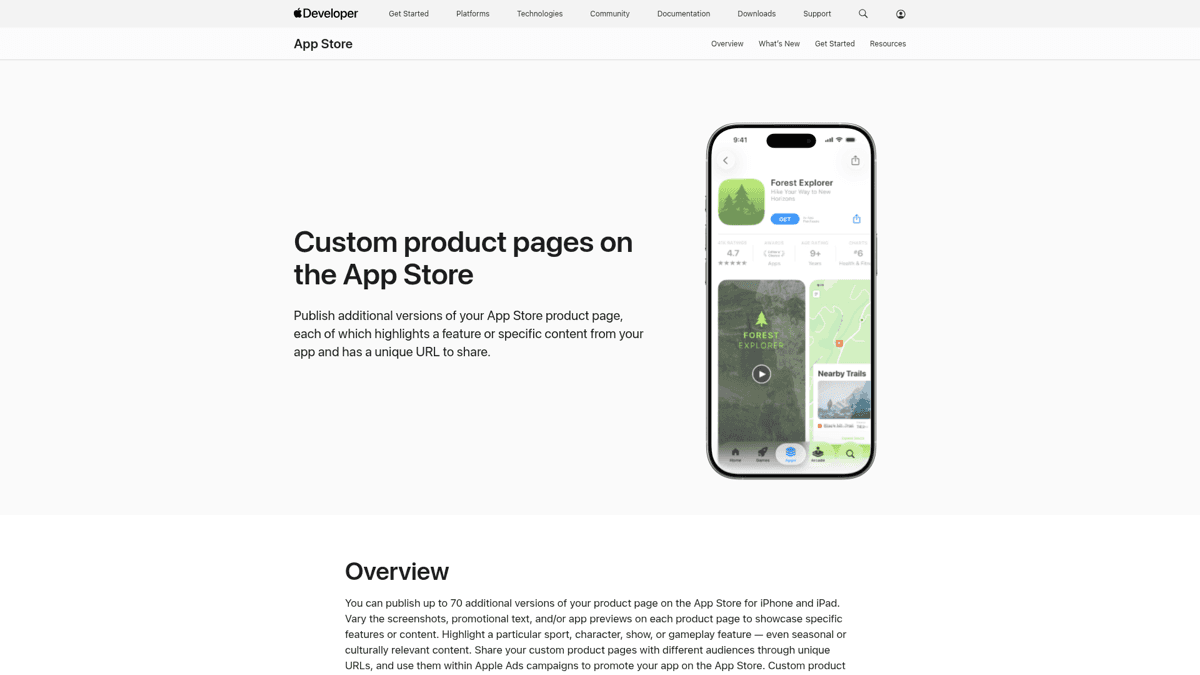
The 2022 Apple feature most localization guides still ignore is Custom Product Pages. You can ship up to 35 alternate listings per app, each with its own screenshots, promo text, and app preview videos, and target each one via a unique URL. Pair this with localized URLs in your paid campaigns and you can A/B test localized screenshots by region without changing your default listing.
⚠️ Translate is not the same as culturally adapt
A literal translation of an English caption often misses the cultural reference, register, or hook that made the English version work. For your top revenue locales (DE, FR, JA, KO) hire a native reviewer for the screenshots, not just a translator. The cost is small. The conversion uplift is real.
Translation tools: where TMS platforms actually help
Translation Management Systems (TMS) are great at one job: managing the in-app string layer at scale. They handle string extraction, version control across iOS and Android, glossaries, translation memory, and continuous sync with developer workflows. Use one if you are translating a serious volume of in-app copy.
Just understand what they do not do. None of the major TMS platforms (Lokalise, Crowdin, Phrase) push to App Store Connect or Google Play Console for you. None of them research locale demand. None of them write or test localized screenshots. They are scoped to the in-app string layer, which is exactly the layer with the smallest direct ASO impact.
| Need | TMS (Lokalise / Crowdin / Phrase) | ASO tooling |
|---|---|---|
| In-app string translation | Yes, core feature | Not their job |
| Translation memory + glossary | Yes | No |
| Continuous string sync to repo | Yes | No |
| Locale demand research (keyword data) | No | Yes (multi-country research) |
| App Store keyword field per locale | No | Yes (per-locale popularity scoring) |
| Screenshot localization | No | No (screenshot tools handle this) |
| App Store / Play Console submission | No | No (manual or Fastlane) |
TMS handles strings. ASO tooling handles store-level discoverability. They sit on different layers.
Launch checklist: going live in a new locale
Once you have validated a locale and decided to ship, here is the actual checklist to take it from “I picked Japan” to “Japan is live”. This is the App Store Connect and Google Play Console workflow you will repeat every time you add a market.
Add the locale in App Store Connect / Play Console
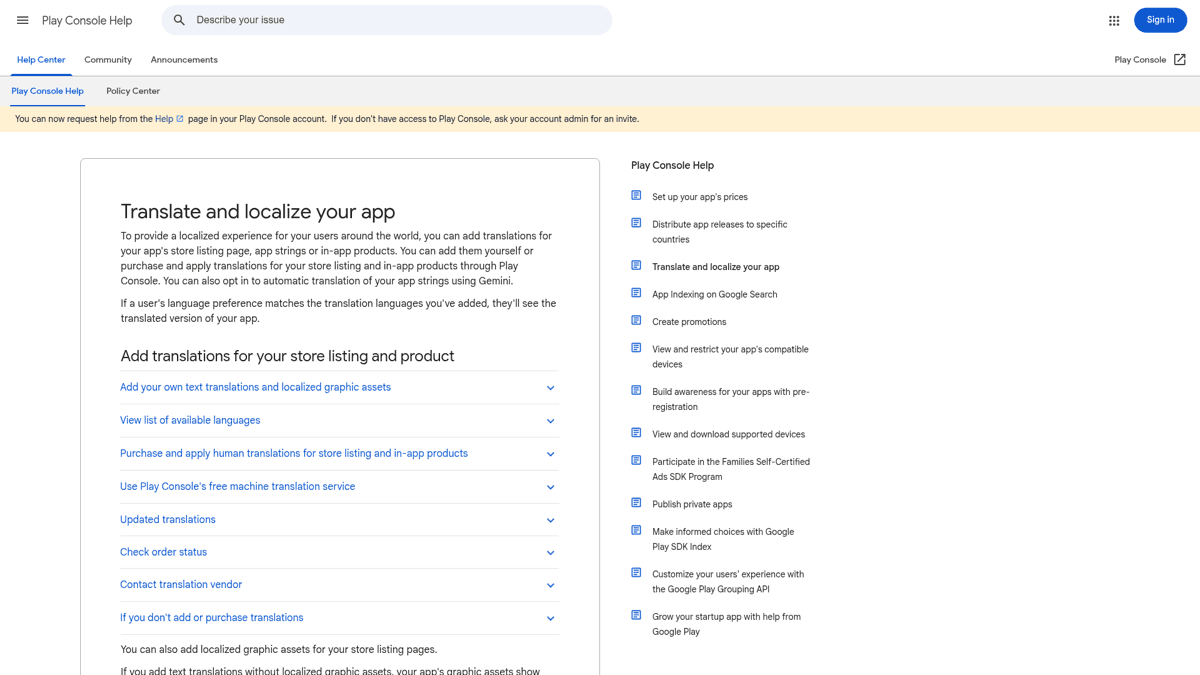
App Store Connect: open the app, App Information, click the language dropdown, add the locale. Google Play Console: Store presence, Main store listing, Manage translations, Add your own.
Translate and import the listing copy
App name, subtitle/short description, full description, promo text/What's New. Use a native reviewer if it is a tier-1 revenue locale.
Build the iOS keyword field for the locale
Use multi-country keyword data to pick 10 to 15 keywords. Comma-separated, no spaces after commas, no plurals, no duplicates of words in name or subtitle. Stay under 100 characters.
Localize and upload the screenshots
Take the screenshots from a build set to the target locale, then translate any captions. For tier-1 locales, consider a Custom Product Page so you can test variants without changing the default listing.
Localize the IAP descriptions and Review Information
Easy to forget. In-App Purchase display names and descriptions are localized separately. Apple's Review Information also lets you add a localized review note explaining anything that needs context for non-English reviewers.
Submit, then watch the data for 30 days
After the locale is live, give it a full 30-day window before drawing conclusions. Look at impressions, product page views, conversion rate, and per-keyword rank changes inside the locale. Iterate the keyword field and screenshots based on what you see.
The repeatable launch loop. Run it for each priority locale.
“I would suggest you to move with data. For eg: in Play Console, I check store listing visitor stats based on country and language and add translations for those language to start.”View on Reddit
✅ASO localization launch checklist
Run through this before submitting each new locale.
Locale added in App Store Connect / Play Console
App name localized (lead with primary keyword, not literal translation)
Subtitle (iOS) / Short description (Play) localized with secondary keyword
iOS keyword field built from per-locale keyword data (under 100 chars)
Full description localized and proofread by a native speaker
Promo text / What's New localized
Screenshots taken in the target locale (not just translated captions)
Currency and example data adjusted in pricing screens
In-App Purchase display names and descriptions localized
Apple Review Information note added if anything needs context
30-day data review scheduled
Common mistakes indies make
After watching enough indies do this badly, the same five mistakes show up over and over. Avoid them and you are already ahead of most of the category.
“Localization professional here. How can it impact sales? Improving your conversion rate on paywalls, easier to find and learn about paid features. Better retention = more customers, better engagement (through understanding) = more feature adoption.”View on Reddit
🚫 Mistake 1: Skipping the per-locale keyword field
Half the indies who localize their iOS listing leave the keyword field as a copy of the English version, or empty. That is a 100-character indexed field per locale you are giving away for free. Always build it from per-locale keyword data.
🚫 Mistake 2: Machine-translating without a native review
Modern machine translation is good enough for first draft, not for the final listing. Apple reviewers and locale users both penalize listings that read like a bad translation. For tier-1 revenue locales (DE, FR, JA, KO), pay for a native review. The cost is small relative to the conversion lift.
🚫 Mistake 3: Reusing English screenshots with translated captions
If your English screenshot shows the app in English with a translated caption pasted over it, the user immediately knows the app itself is in English. They scroll past. Take the screenshot from a build set to the target locale so the in-screenshot UI is also in the target language.
🚫 Mistake 4: Ignoring Play Console country traffic stats
Google Play tells you exactly which countries are visiting your listing today, even without a localized version. If you have unrequested traffic from Mexico or Indonesia, those are the highest-ROI locales to localize next, not whatever the global revenue chart says.
🚫 Mistake 5: Forgetting the IAP descriptions
In-App Purchase display names and descriptions are localized in their own dedicated section. They show on the paywall sheet inside the system purchase modal. An English IAP price tag inside a fully localized app kills conversion at the moment of payment.
The bottom line on mobile app localization
Our Verdict
🌍ASO Localization (the layer that drives downloads)
ASO localization is the highest-ROI growth lever for any indie app that has shipped a working English-first product. Translate the App Store / Play Store listing for 6 to 8 priority locales, build per-locale keyword fields with real data, ship country-aware screenshots, and most apps will see a 30 to 100 percent download lift inside 90 days. None of that requires touching the in-app strings.
Best for: Indie devs and small ASO teams expanding from English-first to global. Especially valuable in JA, KO, PT-BR, ES, DE where ASO competition is far softer than EN-US.
Strengths
- +Per-locale iOS keyword field is a free indexed surface most apps ignore
- +Localized screenshots have outsized conversion impact
- +Custom Product Pages let you test localized variants without breaking your main listing
- +Validating with keyword data first removes the guesswork
Weaknesses
- −Requires native review for tier-1 revenue locales (DE, FR, JA, KO)
- −Listing-only localization can feel inconsistent if the in-app stays English forever
- −Apple and Google both occasionally reject listings with poor machine translation
Your 30-day localization action plan
Stop reading. Start shipping. Here is the concrete 30-day plan to go from “English-only” to “3 new locales live” without spending more than the cost of a few hours of native review.
Week 1 - Validate
Pull multi-country keyword data for your 10 to 15 seed keywords across 8 candidate locales. Score each locale. Cross-check with Play Console and App Store Connect country traffic stats. Pick your top 3 locales.
Week 2 - Translate the listing
For your top 3 locales: app name, subtitle/short description, full description, promo text. Use machine translation as a first pass, then native review. Build the iOS keyword field for each locale from your per-locale keyword data.
Week 3 - Localized screenshots
Take screenshots from a build set to each target locale. Translate captions. Adjust currency and example data. Optionally set up Custom Product Pages on iOS for A/B testing.
Week 4 - Ship and watch
Submit each locale. Once they are live, set a 30-day measurement window. Track impressions, product page views, conversion rate, and per-keyword rank for each locale. Iterate the keyword field and screenshots based on what you see, then plan locales 4 to 8.
The 30-day plan. Repeat the loop for the next batch of locales every quarter.
Localization is not a translation problem. It is an ASO problem with a translation step in the middle. The indie who picks 6 locales with keyword data and localizes the listing will outrank the indie who pays $5,000 to translate the in-app strings in 20 languages and hopes for the best.
Related reading on the rest of the ASO stack: App Store keywords: the 100-character field guide, Google Play ASO: the complete optimization guide, how to write an app description that converts, and the 8 discovery channels most developers ignore.