Every few weeks someone on r/AppStoreOptimization asks the same two questions: “Do you always set promotional text?” and “Does it actually affect my ASO score?” The answers in the comments are all over the place - some devs swear by it, some leave it blank, and almost nobody agrees on whether Apple even reads it.
Here is the short version: promotional text will not help your rankings the way most people think. But it is the only metadata field you can change anytime without an app review, and that quietly makes it one of the most useful 170 characters in the entire App Store. Let us settle the debate.
Q:Does App Store promotional text affect ASO?
A: Not directly. Apple does NOT index promotional text for App Store keyword search, so packing it with keywords does nothing for your rankings. Its real value is conversion: the 170-character field sits at the top of your product page, above the description, and you can update it anytime without submitting a new app version or waiting for review. Use it for selling, CTAs, and time-sensitive messaging - and put your keywords in the title, subtitle, and 100-character keyword field instead.
- 1.170 characters, displayed atop the description below your screenshots.
- 2.Only the first ~70 characters show on mobile before the 'More' link.
- 3.NOT keyword-indexed by Apple - zero direct ranking impact.
- 4.Editable anytime with no app review - the field's superpower.
- 5.Set per App Store storefront, so each locale gets its own 170 chars.
What is App Store promotional text?
Promotional text is a short, optional field in App Store Connect, capped at 170 characters - roughly two or three sentences. It renders at the very top of the description area on your product page, directly below your screenshots and app preview. ASO practitioners call that the “golden area” because it is the first text a visitor reads after the visuals.
The catch: on mobile, only the first ~70 characters are visible before a “more” truncation. And it never appears on the search results page - it is a product-page-only field. So your strongest message has to land in that opening line.
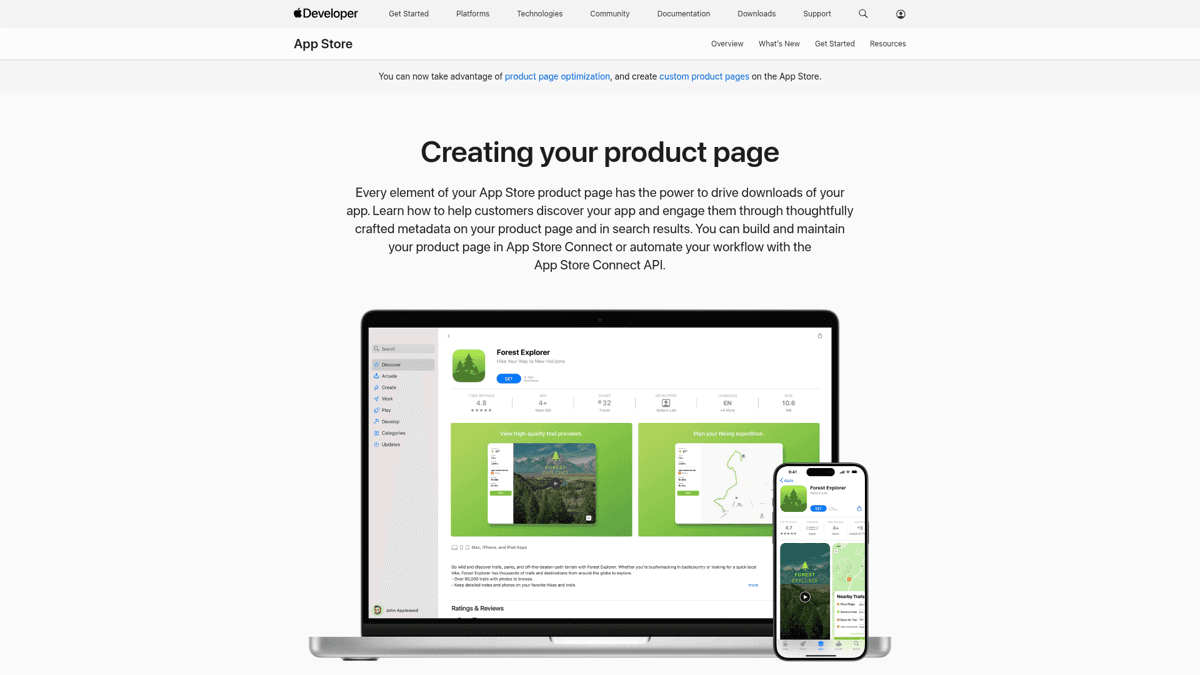
Promotional text sits at the top of the description block, right below your screenshots - the 'golden area.' On mobile, only the first line shows before a 'more' link.
Does promotional text affect your App Store ranking? (the honest answer)
No, not directly. This is the single biggest misconception about the field, so let us be precise about it. Apple does not index promotional text for keyword search. You can write your most coveted keyword 50 times in those 170 characters and your rankings will not move a pixel.
The reason is anti-spam. Because the field can be edited at any time without review, indexing it would hand developers an obvious loophole - swap in trending keywords daily and game search. Apple closed that door by simply not reading it for ranking. The community is unanimous here:
The anchor take - not indexed by Apple, but still worth using
“from ASO perspective adding Promotional text makes little sense because it isn't indexed in search results in App Store. BUT: 1. It has a slight impact on CR, as displayed under Description. 2. It's indexed in Google Search. So it is worth using.”
That quote captures the whole truth in three lines. There are two real, indirect paths to value. First, conversion: because the field sits above the fold of your description, a sharp promotional line can lift your product page conversion rate - and conversion rate is a ranking signal Apple watches. Better promo text leads to more installs per visit, which feeds back into rank. Second, Google: your App Store listing is crawled by Google web search, and promotional text is indexed there, so it carries minor web-discovery value.
Some developers stay agnostic about the indexing question and just hedge:
The honest 'nobody's 100% certain' take
“Not sure but write it like it does, just in case :)”
It is a fair instinct, but you do not need to hedge. The consensus across ASO agencies and practitioners is settled: write it for conversion, not for keywords. Treating it as a keyword field just wastes the slot.
⚠️ Do not keyword-stuff your promotional text
Apple does not index promotional text for App Store search, so stuffing it with keywords does nothing for rankings and makes your copy worse. Put your keywords where Apple actually reads them - the title (30 chars), subtitle (30 chars), and the 100-character keyword field. Use promotional text to sell.
Promotional text vs subtitle vs description vs What’s New
The confusion about promotional text usually comes from not knowing how it differs from the other fields. Here is the matrix nobody else publishes - what each field does, whether Apple indexes it, and whether changing it forces an app review.
| Field | Char limit | Keyword-indexed? | Needs app review to change? | Best used for |
|---|---|---|---|---|
| Title | 30 | Yes (highest weight) | Yes | Brand + your single top keyword |
| Subtitle | 30 | Yes | Yes | Secondary keywords + value prop |
| Keyword field | 100 | Yes (not public) | Yes | All your remaining keywords |
| Description | 4,000 | No (iOS) | Yes | Conversion copy + App Review context |
| Promotional text | 170 | No | No | Time-sensitive selling, CTAs |
| What's New | 4,000 | No | Yes (new build) | Release notes, technical changes |
Keywords belong in the indexed fields. Promotional text and What's New are for messaging, not ranking.
The cleanest mental model came from a developer drawing the line between the two free-text fields most people confuse:
What's New = technical notes, Promo text = selling
“the What's new section should be technical and the Promo text more about selling the app. It can be updated outside of the review process by the way, so very useful if you want to try something with the text”
What’s New is for release notes - bug fixes, new features, version details. Promotional text is your sales pitch. Keep them in their lanes and each field does its job.
The superpower: change it without an app review
Here is the property that makes promotional text genuinely special. Every other text field that matters - title, subtitle, keywords, description - requires submitting a new app version and waiting for Apple’s review queue. Promotional text does not. You can edit it in App Store Connect and the change goes live, typically within a day, with no review when no new build is attached.
That unlocks a set of moves the review-gated fields cannot:
Announce a limited-time sale
Running a Black Friday or launch-week discount? Drop it into promotional text the morning it starts and pull it the moment it ends - no build, no review queue, no risk of the sale message lingering for a week after it's over.
React to a moment
Just got featured by Apple, hit #1 in your category, or landed a press mention? Add fresh social proof to the top of your page the same day while it still has weight.
Push seasonal or holiday messaging
Swap in season-specific hooks (back-to-school, New Year resolutions, summer travel) without touching your core listing, then revert when the season passes.
Iterate your hook between releases
Not happy with how your opening line reads? Rewrite it and watch your conversion rate over the next couple of weeks. You are not waiting on a release cycle to test a new angle.
That last point is exactly why experienced devs reach for it when they want to experiment:
The no-review property as an experimentation lever
“It can be updated outside of the review process by the way, so very useful if you want to try something with the text”
One honest caveat: this is manual experimentation, not split testing. Apple’s built-in product page A/B testing covers screenshots, icons, and preview videos - not promotional text. So you are changing the line, then watching your conversion rate move over time, not running a controlled 50/50 test. Useful, but read the result with that grain of salt.
How to write promotional text that converts
Since the field is about selling and not ranking, write it like ad copy, not like a keyword list. Five rules cover almost every case.
Front-load the first 70 characters
Mobile truncates after roughly 70 characters. Your strongest hook - the one thing that makes someone install - has to live in that opening line. Everything after the 'more' link is a bonus, not the pitch.
Tie it to a current moment
A launch, a sale, a season, a feature drop, a milestone. Promotional text earns its keep when it says something your static description cannot - something true right now.
One clear value statement or CTA
Pick a single message. 'Plan your whole week in 5 minutes' or 'New: offline mode is here.' Do not cram three ideas into 170 characters - you will land none of them.
Skip the keywords
No ranking benefit, remember. The space is too valuable to waste on terms Apple ignores. Keywords go in the title, subtitle, and keyword field.
Localize it per market
Each storefront has its own 170-character field. Write native copy for your top markets instead of leaving English in front of non-English users.
A practitioner summed up the keyword-versus-selling split better than any guide:
Use the field to attract users, not to pack keywords
“Other fields are not indexed. So Promo does not affect the indexation. However, it might affect the conversion as it is your chance to promote the value of your product, you may include a CTA there. So my tip would be - use your chance to attract users, but no need to pack it with KW.”
🚫 Mind App Review when a build is attached
When promotional text changes alone, there is no review. But if you edit it while submitting a new version, it ships with that build and gets reviewed alongside it. In that case, follow the same content rules as your description: no price guarantees, no competitor names, no 'beta' or 'coming soon' language, and no claims Apple could read as misleading.
How to add or change promotional text in App Store Connect
The workflow is short, but there is a real gotcha at the end that catches a lot of developers.
Open App Store Connect and select your app
Go to App Store Connect, pick your app, and open the App Store tab in the left sidebar.
Choose the version and localization
Select the version you want to edit, then pick the language/storefront. Remember: promotional text is per-locale, so you edit it for each market separately.
Edit the Promotional Text field
Find the Promotional Text box near the top of the metadata form. Write up to 170 characters with your hook front-loaded.
Save and let it go live
Click Save. If no new build is attached, the change publishes without review - typically within about 24 hours. No resubmission needed.
Now the gotcha. When you create a new app version, the promotional text does not reliably carry over - developers report it going blank instead of inheriting from the previous version. It is annoying enough that some people give up on the field entirely:
The reset-on-new-version workflow pain
“I don't understand why every time I add a new version in App Connect, the Promotional Text becomes blank instead of inheriting from the previous version. I've lost patience with this, so now I just keep it blank...”
⚠️ Re-check your promotional text on every release
Creating a new app version can wipe your promotional text back to blank instead of inheriting it. Add 'check promotional text' to your release checklist so a carefully written line does not silently vanish the next time you ship a build.
Localize it: 170 characters per market
This is the gap almost every other guide skips. Promotional text is set per App Store storefront, which means each localization gets its own 170 characters. A US visitor and a German visitor can see completely different promotional lines on the same app.
Transcreate, do not just translate. A literal translation of an English hook often falls flat in another language. Rewrite the message so it lands natively in each of your top markets. If you are already localizing your App Store listing, promotional text is the cheapest field to add to that effort - no review, instant updates, one line each.
Localize the messaging, optimize the indexed fields
Promotional text is per-locale messaging. Your per-locale RANKING still comes from the indexed fields - the localized title, subtitle, and 100-char keyword field. ASO Maniac's multi-country keyword research and per-country popularity scoring tell you which keywords actually matter in each market, so the fields Apple does read are tuned per storefront. Try it at asomaniac.com.
Where promotional text fits in your ASO strategy
Step back and the picture is simple. You have ranking levers and you have conversion levers, and promotional text is firmly a conversion lever. The title, subtitle, and 100-character keyword field are where you fight for rank. Promotional text, your screenshots, and your first three lines of description are where you fight to convert the visitors that ranking brought you.
So the keywords you intentionally keep out of promotional text have to go somewhere - and that somewhere is the 100-character keyword field and your title and subtitle. To measure whether a promotional text change actually moved conversion, watch your App Store Connect analytics before and after each edit.
Where ASO Maniac fits
Because promotional text is NOT for keywords, your keyword work belongs in the indexed fields - and that is exactly what ASO Maniac is built for. Keyword research with AI-powered suggestions, keyword popularity scoring (1-100), and competitor analysis tell you which keywords deserve a slot in your title, subtitle, and 100-char keyword field. Get the indexed fields right, then use promotional text purely to sell. Start at asomaniac.com.
Promotional text optimization checklist
Run through this before and after every release. If anything is unchecked, fix it before you move on.
✅Promotional text checklist
Pre- and post-release review for the one no-review field
Promotional text is set (not left blank by default)
Strongest hook lives in the first ~70 characters
Exactly one clear value statement or CTA
No keyword stuffing - keywords are in the indexed fields
Localized (transcreated) for your top markets
Re-checked after the latest release in case it reset to blank
Refreshed for any active launch, sale, or seasonal moment
Summary
The Reddit debate has a clear answer: do not keyword-stuff your promotional text, and do not leave it blank either. Apple does not index it for search, so it will never move your rankings - but it sits in the golden area above your description, it is the only field you can change without an app review, and a sharp line lifts conversion, which feeds rank indirectly.
Treat it as your no-review lever. Use it to sell, to react to the moment, and to test hooks between releases. Localize it per market, re-check it on every release so it does not silently reset, and put your actual keywords where Apple reads them. That is 170 characters well spent.