Your app is live on the App Store. Congrats. But if someone Googles your app name right now, what do they find? Probably nothing - or worse, a competitor. The App Store listing is great for people already browsing the store, but it's invisible to web search, social media clicks, and press mentions.
Most landing page guides show you pretty Dribbble shots and call it a day. This one is different. We cover what sections actually drive downloads, compare builders by real cost, and show you how to bridge your App Store keyword strategy to web SEO - something no other guide covers.
Q:What's the best way to build an app landing page?
A: For most indie developers, Carrd ($19/yr) is the fastest and cheapest way to get a professional app landing page live. If you know HTML/CSS, GitHub Pages is free. Include these essentials: a clear headline showing your app's value, device mockup screenshots, App Store/Play Store badges, social proof (ratings, review count, press mentions), and a single focused CTA. Keep it one page - you don't need Webflow or Squarespace complexity for an app landing page.
- 1.Carrd ($19/yr) is the community favorite - overwhelmingly recommended on Reddit
- 2.GitHub Pages + plain HTML/CSS is the best free option for developers
- 3.Include 7 essential sections: hero, badges, features, social proof, screenshots, FAQ, footer
- 4.Bridge your App Store keywords to web SEO for double the visibility
- 5.Set up UTM parameters so you can track which landing page visits become installs
Why your app needs a landing page (beyond the App Store)
Apple requires a privacy policy URL and a support URL to submit your app. You already need a web presence. Might as well make it work for you.
Three reasons you need a landing page
1) Web SEO captures searches the App Store can't - people Google 'best sleep tracker app' before opening the App Store. 2) You own the analytics - UTM parameters let you track exactly which channels drive installs. 3) It's your press kit - journalists, bloggers, and Product Hunt all need a URL to link to.
Highlighting a common frustration - Apple charges $99/yr but provides zero web hosting
“I do think it's kind of funny that with everything for the Apple Developer account, we don't get maybe a couple hundred MB for some form of web hosting. Especially with needing to provide a URL for the privacy policy.”
The irony is real. Apple charges $99/yr for the developer account, requires web URLs, but gives you zero hosting. So you need to set something up anyway. The question is whether you build a bare-minimum privacy policy page or a proper landing page that actually drives downloads.
The 7 essential sections every app landing page needs
Forget 50-section enterprise templates. An effective app landing page needs exactly seven sections. Here's each one with what to include and what to skip.
Hero section: value proposition + device mockup
Your headline should communicate what the app does in one sentence - not your company mission statement. Include a device mockup showing your app in action. Keep it above the fold. Bad example: 'Empowering your digital wellness journey.' Good example: 'Track your sleep in 10 seconds. Wake up knowing what worked.'
App Store badges: the primary CTA
Apple and Google both provide official badge assets - use them. Place badges right below the hero, not buried in the footer. Link directly to your App Store listing with UTM parameters (we'll cover how below). If you're iOS-only, one badge is fine. Don't add a 'Coming to Android' badge unless you actually plan to ship it.
Feature highlights: show, don't list
Pick 3-4 core features and show them with screenshots or short descriptions. Don't list 15 features in bullet points - nobody reads those. Each feature should answer: 'Why should I care?' If you can't answer that, cut the feature from the page.
Social proof: ratings, reviews, press
If you have 4+ stars, show your App Store rating prominently. Pull 2-3 standout reviews. Press mentions (even from small blogs) add credibility. If you're pre-launch with zero reviews, skip this section entirely rather than faking it.
Screenshots or demo video
Repurpose your App Store screenshots here - you already made them. A 30-second demo video converts better than static screenshots, but only if you can keep it short. Autoplay muted videos work well. Avoid 3-minute walkthrough tutorials on a landing page.
FAQ section (featured snippet bait)
Write 4-6 common questions about your app. This does double duty: it answers real user questions AND it targets Google's featured snippets. Structure each Q&A with proper heading markup. Questions like 'Is [app] free?' and 'Does [app] work offline?' are exactly what people search for.
Footer: privacy policy, support, legal
This is the section Apple actually requires. Link to your privacy policy, support email or form, and terms of service. Include your social media links here. Don't overthink it - a clean footer with the required links is all you need.
Real examples that get it right
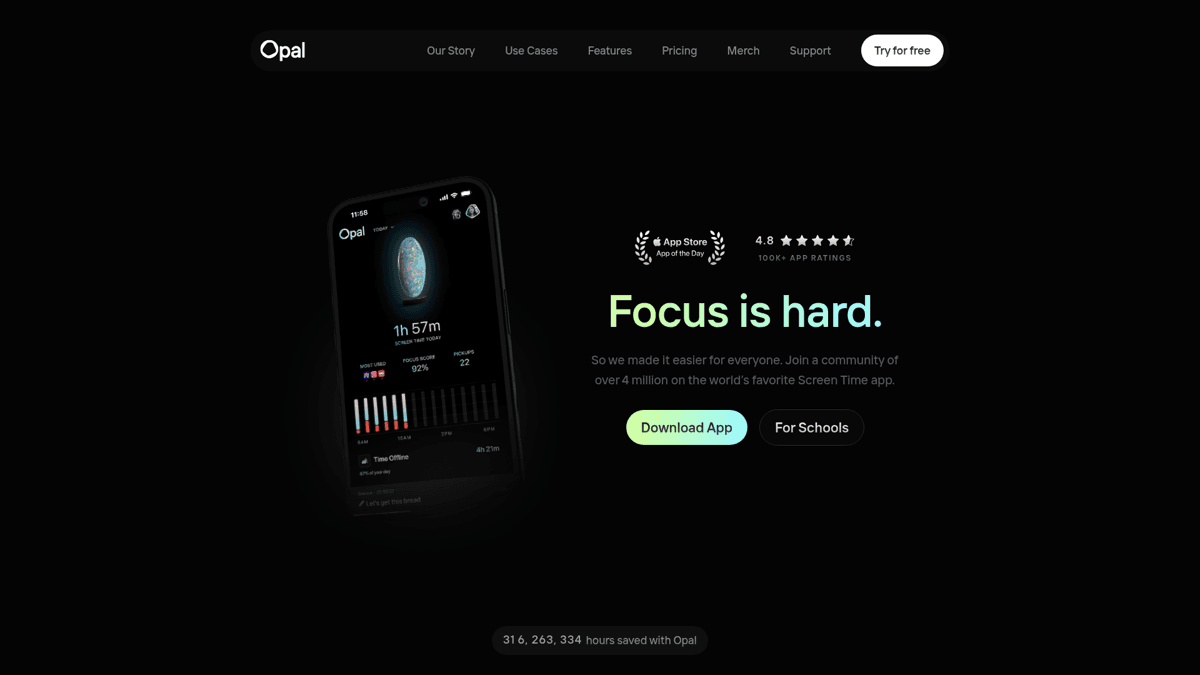
Opal nails the hero section with a clean value proposition and device mockup. The page loads fast, badges are immediately visible, and the social proof (App Store rating) sits right below the fold.
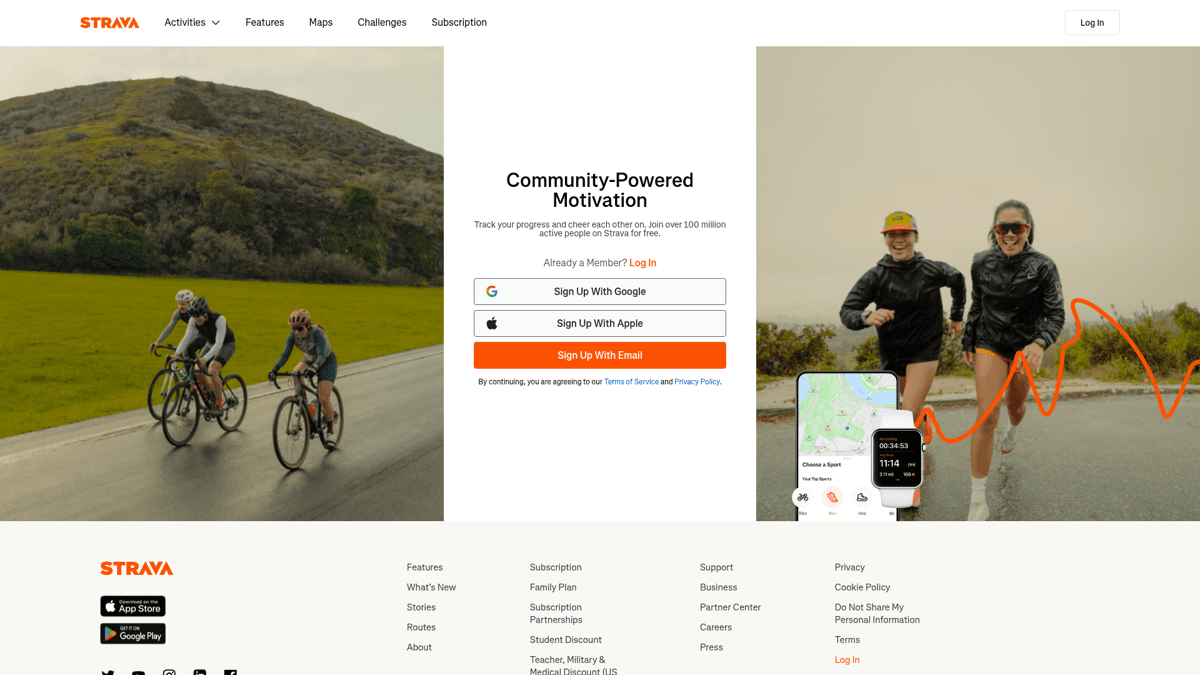
Strava takes a different approach - leading with community and social proof rather than features. For a fitness app with millions of users, this makes sense. But for indie apps without a large user base, lead with features first.
What makes these pages work
Pros
- ✓Single focused CTA - not three different buttons competing for attention
- ✓Device mockups showing the actual app UI, not abstract illustrations
- ✓App Store ratings displayed prominently when they're strong
- ✓Fast load times - both pages load in under 2 seconds
- ✓Clean typography with plenty of white space
Cons
- ✗Strava's page is too long for an indie app - you don't need 12 sections
- ✗Neither page includes an FAQ section (missed SEO opportunity)
- ✗No UTM parameters on App Store links (can't track conversions)
Choosing a landing page builder: the indie developer's comparison
This is the section no competitor guide includes. Here's how the main options compare for indie app developers specifically - not enterprise marketing teams.
| Feature | Carrd | GitHub Pages | Framer | Webflow | V0.dev |
|---|---|---|---|---|---|
| Price | $19/yr | Free | $0-25/mo | $14-39/mo | $0-20/mo |
| Skill level | None | HTML/CSS | Low-Medium | Medium | Low (AI) |
| Custom domain | Yes | Yes | Yes | Yes | Manual |
| Blog support | No | Manual | Yes (CMS) | Yes (CMS) | No |
| Learning curve | Minutes | Hours | Hours | Days | Minutes |
| Best for | Quick single page | Free + full control | Design polish | Full website | AI-generated draft |
Landing page builder comparison for indie developers (2026)
Carrd - the community favorite ($19/yr)
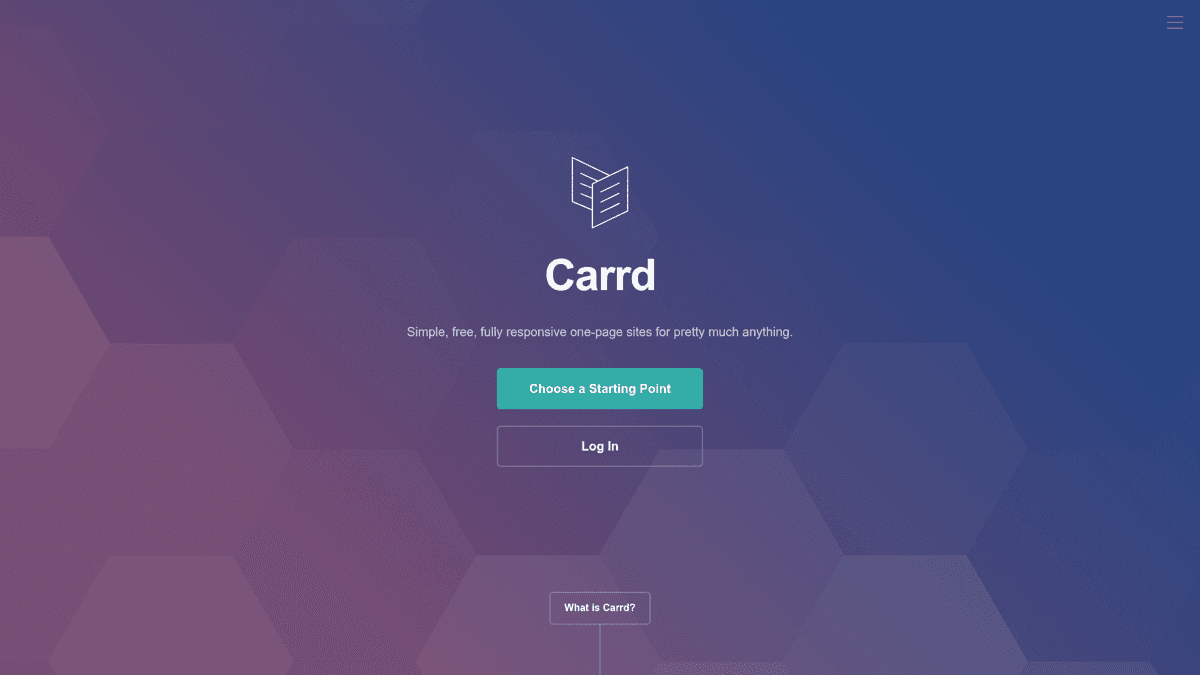
Carrd is the overwhelming Reddit favorite for app landing pages. At $19/yr for the Pro Standard plan, it's cheaper than a single month of most alternatives. You get custom domains, forms, and enough design flexibility to build a professional single-page site in under an hour.
Top-voted comment in a 73-comment thread asking what developers use for app landing pages
“Carrd is the best!”
Non-technical developer validating Carrd's ease of use
“I have absolutely no web background and a pretty terrible eye for design but managed to publish this with carrd.”
The limitation is clear: Carrd is one-page only. No blog, no multi-page site. If all you need is a landing page for your app (and that's what most indie devs need), this constraint is actually a feature - it forces focus.
GitHub Pages - the free developer option
GitHub Pages is free, supports custom domains, and deploys from a Git repo. If you already write code for a living, this is a natural fit. Write HTML/CSS (or use a template), push to a repo, and you're live.
Second-highest voted approach - the DIY developer option
“I just use plain html/css and host it using Cloudflare Pages.”
The tradeoff: you need to know HTML/CSS or find a template. There's no visual editor, no drag-and-drop. But for developers, that's often a plus - full control, zero vendor lock-in, and zero recurring cost.
Framer - for design-conscious developers
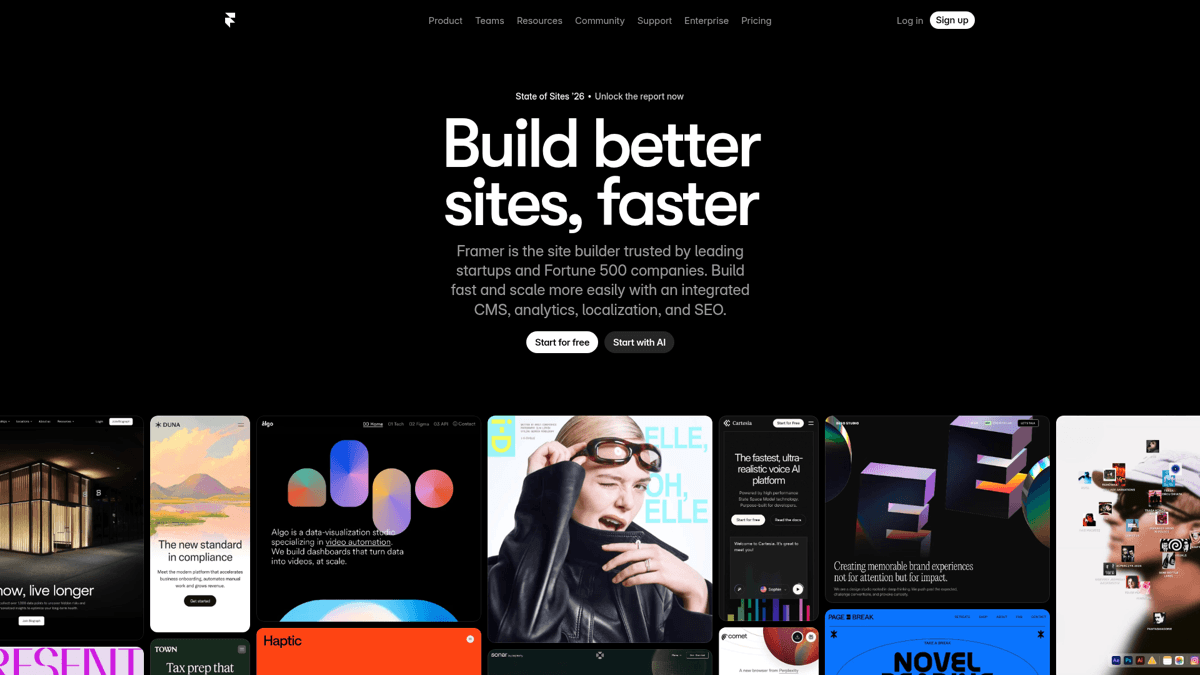
Framer is gaining traction among indie developers who care about animations and visual polish. The free tier lets you publish one page, and paid plans start at $5/mo. If your app's brand identity is important (and it should be), Framer gives you more design control than Carrd without Webflow's complexity.
Webflow - overkill for most app pages
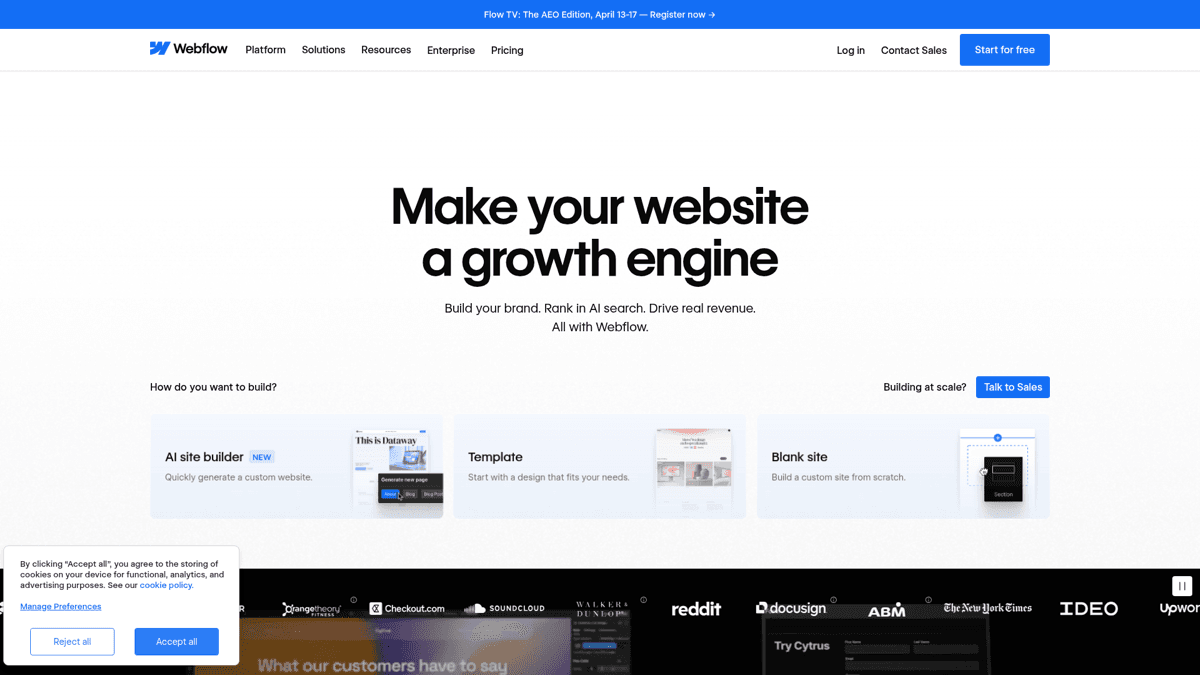
Webflow is the most powerful no-code builder, with a full CMS, e-commerce, and deep SEO tools. It's also $14-39/mo and has a steep learning curve. Unless you also need a blog, documentation site, and marketing pages alongside your app landing page, Webflow is overkill. Save it for when your app outgrows a single page.
V0.dev - the AI-generated option (2026)
V0.dev by Vercel is the newest approach: describe what you want, and AI generates a React landing page. It's the fastest path from zero to a working draft. The output needs refinement, and you'll want to customize the generated code, but as a starting point it saves hours. Expect this category to mature rapidly through 2026.
WordPress remains a solid option for developers who also want a blog alongside their app page
“I have a Wordpress website running on a standard web host, they're pretty cheap these days. It is based on a Wordpress template to make it easy to build.”
The ASO-to-web keyword bridge: your secret weapon
This is the section no other landing page guide covers, and it's arguably the most valuable. If you're already doing ASO keyword research for the App Store, you have a goldmine of data sitting unused on the web side.
The concept is simple: your App Store keyword strategy and your landing page SEO strategy should mirror each other. If your app targets "sleep tracker" in the App Store keyword field, your landing page should target "best sleep tracker app" on Google. The search intent is the same - someone looking for a sleep tracking app. You're just meeting them on both platforms.
Start with your App Store keywords
Take the keywords you already researched for your App Store listing - your title keywords, subtitle keywords, and keyword field entries. These represent what your target users actually search for.
Translate to web search queries
App Store keywords are often single words or short phrases ('sleep tracker', 'meditation'). Web searches are longer and more natural ('best sleep tracker app for iPhone', 'free meditation app 2026'). Add modifiers like 'best', 'free', 'app', 'for iPhone/Android', and the current year.
Map keywords to landing page elements
Your H1 heading should include your primary keyword naturally. Meta title: '[App Name] - Best [keyword] App for iPhone'. Meta description: mention 2-3 secondary keywords. Alt text on screenshots: describe what the app does using keyword variations.
Build topical authority with content
If your app is a budget tracker, write a blog post about budgeting tips that links to your app. This builds topical authority in Google's eyes and creates an additional entry point for organic traffic. One quality article per month is enough.
How to bridge your App Store keyword strategy to web SEO
ASO Maniac: keyword research that works for both stores and web
ASO Maniac's keyword research tool shows you popularity scores, difficulty ratings, and competitor data for App Store keywords. Use this same research to inform your landing page SEO - the keywords your competitors rank for in the App Store are the same terms you should target on your landing page. Try it at asomaniac.com.
Tracking what works: UTM parameters and Smart App Banners
A landing page without tracking is a landing page without proof it works. Two tools make attribution dead simple: UTM parameters on your App Store links, and Apple's Smart App Banner meta tag.
Add UTM parameters to all App Store links
Every link to the App Store from your landing page should include UTM parameters. Format: https://apps.apple.com/app/your-app/id123456?pt=PROVIDER_TOKEN&ct=landing-hero&mt=8. The 'ct' (campaign token) parameter tells you which button or section drove the click. Use different ct values for your hero badge, feature section badge, and footer badge.
Implement Smart App Banners
Add this meta tag to your landing page's <head>: <meta name='apple-itunes-app' content='app-id=YOUR_APP_ID, app-argument=yourapp://landing'>. This shows a native iOS banner when someone visits your page on an iPhone. It's subtle, non-intrusive, and converts well because it looks like a system notification, not an ad.
Set up basic web analytics
Install Plausible ($9/mo, privacy-friendly) or Google Analytics (free) on your landing page. Track page views, bounce rate, and most importantly - clicks on your App Store badges. In Plausible, set up custom events for badge clicks. This tells you how many landing page visitors actually go to the App Store.
Attribution setup for your app landing page
⚠️ Common tracking mistakes
Don't use the same UTM campaign token for every link on the page - you'll lose the ability to see which section converts best. Don't forget to test your Smart App Banner on a real iPhone (it won't show in desktop browsers or simulators). And don't skip analytics - without data, you're guessing.
⚠️ Google Play tracking
For Google Play links, use the 'utm_source' and 'utm_campaign' parameters directly in the Play Store URL. Google Play Console's acquisition reports will show you traffic from each source, so you can see exactly how many installs came from your landing page vs organic Play Store search.
Your pre-launch landing page checklist
Before you publish, run through this checklist. Missing even one item (especially the SEO basics) means leaving installs on the table.
🚀Landing page launch checklist
Custom domain connected and SSL enabled
Free SSL from Cloudflare, Let's Encrypt, or your hosting provider
Mobile responsive design tested on real device
Most visitors from social media will be on mobile
App Store / Play Store badges with UTM parameters
Use different ct/campaign values for each badge placement
Privacy policy page linked (Apple requirement)
Support URL or email visible (Apple requirement)
Meta title with primary keyword
Format: [App Name] - Best [Keyword] App for [Platform]
Meta description with 2-3 secondary keywords
Open Graph tags for social sharing
og:title, og:description, og:image - test with opengraph.xyz
Smart App Banner meta tag added
iOS only - shows native install banner on iPhone/iPad
Web analytics installed (Plausible or GA)
Page loads in under 3 seconds on mobile
Test with PageSpeed Insights - aim for 90+ performance score
All images have alt text with keyword variations
FAQ section with structured data markup
Targets Google featured snippets for '[app name] review' queries
404 page configured
The bottom line
Stop overthinking your app's landing page. The best landing page is the one that's actually live. Pick a builder, include the seven essential sections, set up tracking, and publish. You can always iterate later.
Our Verdict
🚀App Landing Page Strategy
For indie developers, the winning formula is simple: Carrd for speed ($19/yr), GitHub Pages for free, or Framer for design polish. Include the 7 essential sections, bridge your ASO keywords to web SEO, and set up UTM tracking. A focused 3-section page that's live today beats a perfect 15-section page that's still in Figma.
Best for: Indie developers launching their first app landing page
Strengths
- +Carrd at $19/yr is absurdly cheap for what you get
- +The ASO-to-web keyword bridge doubles your discoverability
- +Smart App Banners convert mobile visitors without being intrusive
- +UTM tracking gives you real data on what drives installs
Weaknesses
- −Simple builders like Carrd don't support blogs or multi-page sites
- −Keyword bridging requires you to actually do ASO research first
- −Attribution between landing page visits and App Store installs isn't perfect
Research keywords for both App Store and web
ASO Maniac helps you find the right keywords for your App Store listing - and those same keywords become your landing page SEO strategy. Research once, optimize twice. Start your keyword research at asomaniac.com.